
UPSC CMS Application Form 2026 Out, Apply Online at upsc.gov.in
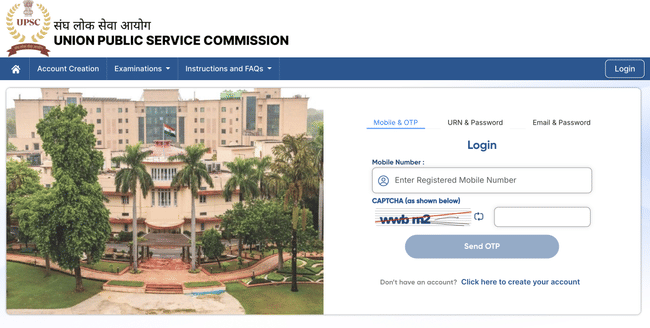
UPSC CMS 2026 Application Process has been started by Union Public Service Commission on its official website at upsc.gov.in from March 11, 2026, to March 31, 2026. Eligible candidates are required to complete UPSC CMS 2026 Application Process by entering their personal, educational, and category-related details, along with the necessary scanned documents as per the prescribed format. UPSC CMS 2026 Application Process will conclude by paying UPSC CMS 2026 Application Fee through the available online modes to complete the process.
UPSC CMS 2026 Application Dates
UPSC CMS 2026 application dates have been released on the UPSC calendar for the year. The dates related to the UPSC CMS 2026 are listed below :
| Event | Date |
|---|---|
| UPSC CMS 2026 Notification Release Date | March 11, 2026 |
| UPSC CMS 2026 Application Release Date | March 11, 2026 |
| UPSC CMS 2026 Last Date of Application | March 31, 2026 |
How to Apply Online for UPSC CMS 2026?
UPSC Combined Medical Services Examination (CMS) 2026 Application Process is conducted from March 11, 2026, through the official UPSC portal. Candidates can complete UPSC CMS Registration in two stages to fill UPSC Combined Medical Services Application Form 2026. Candidates can follow the steps mentioned below to apply for UPSC CMS 2026:
Step-1: Visit the official website: upsconline.nic.in.
Step-2: Click on the notification ‘One Time Registration for instances of UPSC’.
Step-3: Select ‘New Registration.
UPSC CMS New Registration 2026
Candidates can follow the steps given below for UPSC CMS New Registration 2026 as follows:
- Read all the instructions and click on ‘Yes.’
- Enter the following details:
- Name as per the matriculation/secondary examination certificate
- Gender
- Category
- Date of Birth
- Father’s Name and Mother’s Name
- Nationality
- Marital Status
- Photo ID Proof and ID Number
- Educational Qualification
- Address, Email ID, and Phone Number
- Click on ‘Save & Continue’.
- Make the ‘Payment’.
- Now select the ‘Exam Center’, and click on ‘Continue’.
- Upload the scanned copy of ‘Photo’, ‘Signature’ & ‘Photo ID Card’ and click on ‘Submit’.
- Your Registration ID will be generated. An email will also be sent to the candidate’s email ID.
UPSC CMS Application Form 2026
Candidates can see the steps below to fill UPSC CMS Application Form 2026:
- Enter the following details:
- Registration Number
- Date of Birth
- Captcha code from the image shown on the screen
- Now click on ‘Submit.’
- Read all the details entered by you and click on ‘Confirm.’
UPSC CMS Application Fee 2026
Candidates can pay UPSC CMS Application Fee 2026 by any of the following means:
- To pay offline, candidates need to generate a challan and deposit the cash at any SBI Branch.
- For online mode, candidates can make the payments via SBI Net Banking/Visa /Master/RuPay Credit/Debit Card/Internet Banking of SBI.
- The payable amount is variable as per the category:
| Category | Application fee |
|---|---|
| General/OBC | Rs 200 |
| Female/SC/ST/PwD | Exempted |
Documents Required for UPSC CMS Application Process 2026
There are certain documents and details that need to be ready before filling UPSC CMS 2026 Application Form. See below the list for the required documents/details:
- Scanned images of the photograph & signature
- Photo-identity card in PDF format
- Bank details for online transaction
- Mark sheet and admit card of Class 10 and 12
- valid ID Proof such as Aadhar card, Voter ID, Pan card, Passport, Driving Licence.
UPSC CMS Application Correction Window 2026
UPSC CMS 2026 Application Correction Window will allow candidates to revise and update specific details in their submitted application forms. During this period, applicants can rectify errors in personal information, address details, examination centre preferences, photograph, and signature as permitted by UPSC. Candidates must ensure all corrections are accurate, as no further changes will be allowed once UPSC CMS 2026 Application Correction Window closes. Follow the steps below to make corrections in UPSC CMS 2026 Application Form:
Step 1: Visit the official UPSC website and click on the ‘Application Correction’ or ‘Modification’ link under the UPSC CMS 2026 section.
Step 2: Log in using your registered email ID, mobile number, and password or OTP, as required.
Step 3: Edit the necessary details in the available editable fields. Candidates may also re-upload their photograph or signature if needed. Submit the updated form to confirm the corrections.
Candidates must note that no modifications can be made to UPSC CMS 2026 Application Form after UPSC CMS 2026 Application Correction Window closes. Applicants who have successfully submitted their forms will be able to download their UPSC CMS 2026 Admit Card from the official website once it is released, typically a few weeks before the examination.
UPSC CMS Application Process 2026 FAQs
Ques: Can I edit my UPSC CMS2026 application form after submission?
Ans: UPSC CMS 2026 application form opens a correction window for limited edits. Candidates can make necessary corrections during that period.
Ques: How will I know if my UPSC CMS2026 application is successfully submitted?
Ans: After successful submission, candidates will receive a confirmation message or email and can download the UPSC CMS 2026 application form for future reference. They can check their application status by logging in to the website.
Ques: Can I change my exam centre after submitting UPSC CMS application?
Ans: You can change your exam centre only during the correction window period. Changes cannot be made afterwards.
Ques: Can final-year MBBS students apply for UPSC CMS?
Ans: Yes, final-year students can apply for UPSC CMS 2026. They must however, produce the required degree and internship completion proof during document verification.
Ques: How can I check the status of my UPSC CMS application?
Ans: You can check the status of your UPSC CMS application anytime by logging in to the UPSC “Applicant Dashboard.” The dashboard will display whether your form, documents, and fee payment have been successfully submitted.
Download the PREPP App and attempt FREE UPSC CMS Mock Tests and get complete study material!


Comments